

Whiteboard animation is a style of video where illustrations look like they're being hand-drawn on a white surface in real time, usually with a voice-over talking the viewer through the idea. You've almost certainly seen one. A hand sketches a simple diagram, the drawing builds as the narrator speaks, and a complicated point suddenly makes sense.
It's a type of explainer video, but the stripped-back, hand-drawn look gives it a character of its own. There are no sets to build and no actors to hire, just clear visuals doing the explaining. And because it's affordable to produce, marketing teams, trainers and educators reach for it whenever they need to turn a dense topic into something an audience can follow in a couple of minutes.
Where whiteboard animation came from
The hand-drawn, sped-up style isn't new. It grew out of years of chalk-talk teaching and stop-motion drawing, but it broke through as a video format around 2010. The clearest turning point was the RSA Animate series, which turned recorded lectures into fast, illustrated whiteboard videos and pulled in millions of views.
Around the same time, big brands started using the look in ads, and VideoScribe became the first software that let people create the effect without filming a real whiteboard. Sparkol launched it from Bristol, UK, in March 2012, after our founder saw the RSA videos and wanted a way to make them with a digital tool. That's when whiteboard animation shifted from a specialist production technique into something a marketing or training team could make in-house.
How does whiteboard animation work?
The best-known evidence of how whiteboard animation works is a 2012 experiment by psychologist Dr Richard Wiseman. He recorded a plain talking-head video, rebuilt it as a whiteboard animation using exactly the same audio, then tested how much viewers remembered afterwards.
The whiteboard version came out around 15% ahead on recall. Wiseman put it down to attention: the format keeps you watching, partly because you're anticipating what the half-finished drawing is about to become.
More recent research points the same way. A study from Bond University compared whiteboard animation with slides and audio-only versions of the same material. The whiteboard version came out ahead on retention, and audio-only did worst.
It also lines up with a much larger, independent body of research. Richard Mayer's work on multimedia learning found that people learn more deeply from words and pictures together than from words alone, as long as the two work in step rather than competing for attention. A whiteboard video is close to a textbook example of that: a voice explaining an idea while a related image is drawn right beside it.
The benefits of whiteboard animation
The biggest benefit is focus. Because the picture builds one piece at a time, the viewer's attention goes exactly where the narration is, rather than wandering around a busy slide. That makes it a strong choice for subjects people find complex or dry, whether that's a tricky sales pitch, dense regulatory training or a process with a lot of steps.
It's also practical. You don't need a studio, a crew or animation skills to make one, and because the style is simple, updating a video later is an edit rather than a reshoot. And it travels well, from a landing page to a training module to a social feed, so one video can do several jobs.
Made with our Whiteboard Explainer template.
Types of whiteboard animation
"Whiteboard animation" covers a few related styles rather than one fixed look. They all run on the same mechanic, with visuals appearing in step with the narration, but the surface, the amount of color and the mix of media change the feel. Here are the main ones.
Classic whiteboard animation
Illustrations drawn on a white background, usually with a hand tracing each image as it appears. It's the version most people picture, and the most flexible: clean and easy to follow, which makes it a safe choice for explaining a process or a concept without any visual distraction.
Chalkboard animation
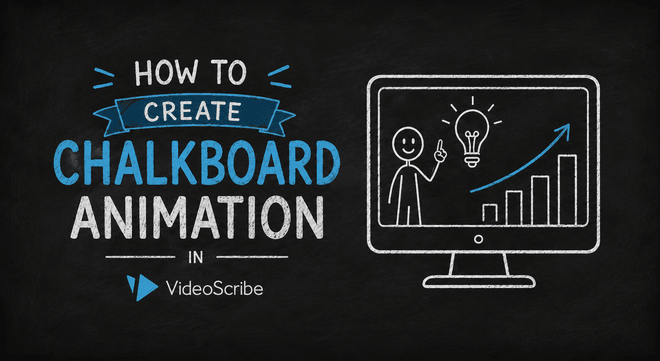
The same idea with the colors flipped: white or colored chalk on a dark board. It carries a slightly more informal, classroom feel, which can suit educational content or anything with a hands-on, back-to-basics tone.
Color and character-led whiteboard animation
Adding illustrated people, props and brand colors warms the style up. Characters give viewers someone to follow, which lifts engagement and makes this a good fit for brand stories or campaigns, where personality matters more than a neutral look.
Mixed-media whiteboard animation
This blends the hand-drawn style with existing photos and graphics. It's useful for product-heavy topics where you need to show the real thing (a dashboard, an app screen, a product shot) alongside the drawn explanation.
Which one you pick depends on the job. A clean black-and-white explainer works for a process or a concept, while a colorful, character-driven piece works better for a brand or a campaign. Whichever you choose, the shared mechanic is what makes the format good for whiteboard storytelling: because the picture builds a piece at a time, you can carry an audience through a beginning, a middle and an end rather than just presenting facts at them.
Where to use whiteboard animation
Whiteboard animation earns its place anywhere a message needs to land fast and stick. Its strength is explanation, so it turns up at the exact points where a dense document or a flat slide would lose people: introducing a product, walking through a process, or making sense of something abstract. The specific use shifts a little from team to team, but the underlying job never changes: take something complicated and make it quick to grasp.
Marketing
Marketing teams reach for whiteboard animation when they need to explain what they sell without losing people. A 60 to 90 second video can turn a product or service into a simple story for a landing page, a paid social ad or a sales email, getting the value across faster than a paragraph of copy would. It's especially useful for the things that are genuinely hard to explain in text, like a new category, a technical product or an unfamiliar pricing model. And because the finished file is easy to re-cut for different channels, one core video can stretch across a whole campaign.
Made with our Product/Feature/Service Launch template.
Training
Learning and development teams get the most out of whiteboard animation on the material people usually dread: compliance, onboarding, a new system or a policy change.
Turning that into a short animated explanation makes it far easier to sit through, and the lift in recall means more of it actually sticks, which is the whole point of training.
It also scales in a way a live session can't. Once a module is made, every new starter watches the same clear version, and updating it later is a quick edit rather than a rebooked trainer.
Made with our Training template.
Education
Teachers use whiteboard animation to break a tricky topic into short, self-contained clips students can pause and replay at their own pace, which makes it as useful for revision and homework as it is in the lesson itself.
Because the visuals build in step with the explanation, it suits the concepts students find hardest to picture, whether that's a process in biology or a sequence of steps in math.
It works the other way round too: asking students to make their own whiteboard video is a good way to check understanding, since explaining an idea simply in their own words and images is one of the surest signs it has actually landed.
Made with our Lesson Objectives template.
Social media
Whiteboard animation travels well on social because it's built to be understood with the sound off, in the few seconds of a scroll. The drawing pulls the eye, and a clear caption carries the point even on mute, which is how most feeds are watched.
It also fits the shapes social needs: square for the feed, vertical for stories and reels. VideoScribe has templates designed for exactly this, so you can start from a social-ready layout rather than resizing a landscape video. The example below uses our Vertical Process Diagram template, built for stories.
So the rule of thumb is simple. Whenever you'd otherwise send a dense document or click through a flat slide, a whiteboard video will usually land better.
How to make your own whiteboard video
You don't need drawing skills or a film crew for any of this. A tool like VideoScribe gives you a digital canvas to work on: you write or pick a script, drag images in from a library, add a voice-over, and it animates everything in the hand-drawn style while you stay in charge of every scene.
If you want the full walkthrough, we've written a step-by-step guide to creating a whiteboard video. To see what VideoScribe can do, take a look at our whiteboard animation software. And if you'd sooner hand the whole thing over, Sparkol Studio, our sister animation studio, will make one for you.
Whiteboard animation FAQs
Is whiteboard animation effective?
Yes, and it's one of the better-evidenced formats. In Dr Richard Wiseman's 2012 experiment, viewers remembered around 15% more from a whiteboard animation than from a talking-head video with the same audio, and more recent research from Bond University found it beat slides on retention too.
How long should a whiteboard video be?
For most business uses, somewhere between 60 and 90 seconds. That's long enough to make one point properly and short enough to keep people watching. Explainer videos usually do better when they stick to a single message rather than piling several in.
Do I need to be able to draw?
Not at all. A tool like VideoScribe animates images from its built-in library in the hand-drawn style, so the drawing itself is taken care of and you can concentrate on the message.
How much does a whiteboard video cost?
Making it yourself is the cheaper route, since a tool is a VideoScribe subscription rather than a per-video fee. Having one produced for you costs more but takes the work off your plate; Sparkol Studio starts at around $1,000 a minute.
What's the difference between whiteboard animation and an explainer video?
Whiteboard animation is one kind of explainer video. The wider explainer category also covers fully animated, live-action and mixed-media styles, whereas whiteboard is specifically the hand-drawn, white-surface look.
Ready to try it? Start a free VideoScribe trial and make your first whiteboard video. No design skills, no credit card.
.png "VideoScribe")



COMMENTS